



Chatbots answer. Aivah works.
AI employees that serve your customers, join your team and run inside your product.
Free to start · No card required

Your browser asks before using your microphone.
Where it works
Where your AI employees work.
Slack for your team, WhatsApp and iMessage for you, Telegram for your customers.
- Your website
- Your phone line
 Google Meet
 Microsoft Teams
 Zoom
Zoom- Your website
- Your phone line
- Google Meet
- Microsoft Teams
- Zoom
- Your website
- Your phone line
- Google Meet
- Microsoft Teams
- Zoom
- Your website
- Your phone line
- Google Meet
- Microsoft Teams
- Zoom
 Webex
Webex Slack
Slack WhatsApp
 iMessage
 Telegram
- Webex
- Slack
- WhatsApp
- iMessage
- Telegram
- Webex
- Slack
- WhatsApp
- iMessage
- Telegram
- Webex
- Slack
- WhatsApp
- iMessage
- Telegram
Why Aivah
Customers get a face that answers. Your team gets a teammate that calls, drafts and remembers. Nothing changes in your apps without your yes.
Who it's for
One platform, three ways in.
For your customers, your team and your own product.

 Website guideOnline
Happy to help. What are you looking for?
Are you open on Saturday?
Yes, from 10:00 to 14:00. Parking is free behind the shop.
Your name and emailCustomer experience.
Customers get answers on your website, phone line, video calls and Telegram.


Chat
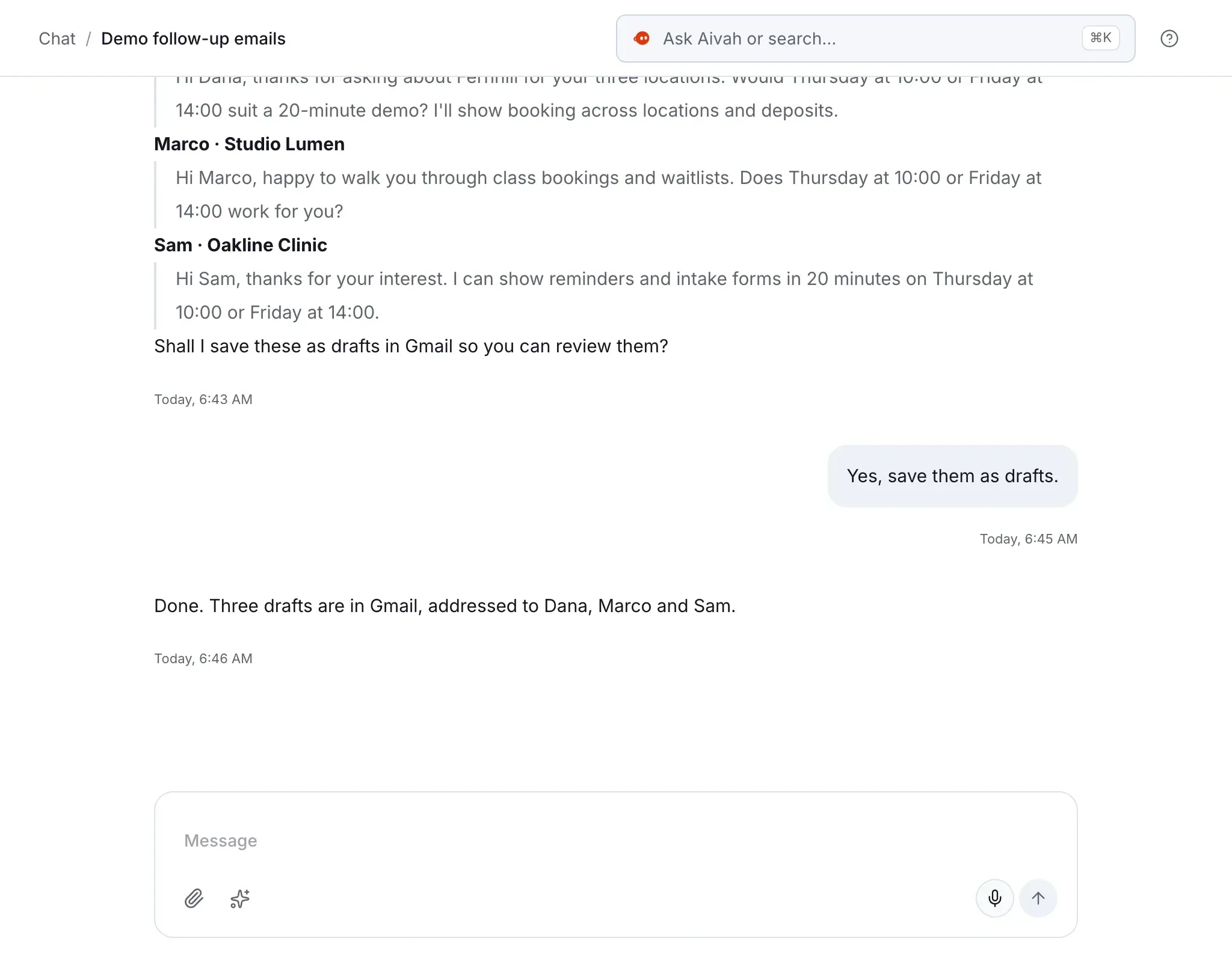
Done. Your weekly report is in Slack.
MessageEmployee experience.
An AI teammate in Slack and WhatsApp that drafts, remembers and calls when you ask.


# List your AI employees
curl …/v1/platform/agents \
  -H "AIVAH_API_KEY: …"
Developers.
Build AI employees, live faces, voices and memory into your own product.
Ways to talk
Four ways to talk to it.
The same AI employee, in the form that fits the moment.
For your customers
Beyond the chat window.
Your website, your phone line and your video calls.
- Website guideOnline
Hi! Looking for prices or opening hours?
Are you open on Saturday?
Yes, from 10:00 to 14:00. Parking is free behind the shop.
Your name and emailGreets your website visitors.
A chat bubble, an embed or a link that answers from your material.


Speaking
Sure. I’ll walk you through it.
Talks face to face.
Visitors press call, and it answers out loud with its face on screen.


Incoming call
Your business line
Good evening, how can I help?
Answers and makes calls.
An AI receptionist answers your line, and voice agents call your list.


Onboarding3 / 12
Your first week
Any questions before the next slide?
Gives live presentations.
Product tours and courses it presents out loud, with questions and a quiz.


Weekly sync · Google Meet
AI employeeJMSRAKHappy to take questions as we go.
Joins your customer calls.
Paste a Meet, Teams, Zoom or Webex link, and it joins as a guest.
And everything around it


Runs your Telegram bot.
Customers or a community chat with it in your own Telegram bot.


Works inside your app.
Your developers add Aivah Assistant, and it guides users through your screens.


Captures leads.
Your lead form, with consent, and the conversation behind each lead.


Flags what needs you.
Insights reads each visitor conversation for sentiment and friction.
For your team
A teammate, not another tool.
Start it as an apprentice on one job, then give it more.
Chat
Here's the expense policy, from the handbook.
MessageWorks in Slack.
Your team asks it questions and hands it work, in channels or DMs.


Chat
Reminder set for 5 pm.
MessageTexts you back.
Message it on WhatsApp or iMessage, wherever you are.
 Done. Your PDF report is ready.
Hands back finished work.
Reports, decks and spreadsheets in your house style, ready to download.
 Your Monday pipeline summary is in Slack.
Runs on a schedule.
Weekly summaries and standing checks, sent to Slack or WhatsApp.


Onboarding3 / 12
Your first week
Quick check: who approves refunds over the limit?
Trains your new hires.
Onboarding and training decks, presented face to face, with a quiz.
Calls, both ways
It calls. You decide.
It answers your line, and calls people when you ask on WhatsApp, Slack or Telegram.
WhatsApp
ExampleCall Northgate Studio on +44 20 7946 0958 to confirm Thursday at 2.
On it. Calling them now from your business number.
01You ask.
On WhatsApp: “Call Northgate Studio on +44 20 7946 0958 to confirm Thursday at 2.”
WhatsApp
ExampleNorthgate StudioOn holdThe contact is waiting on the phone. They can't do Thursday at 14:00 and suggest Friday at 10:00. Reply to approve, decline or suggest another time.
02It checks with you.
They ask for Friday at 10, so it holds the line and asks you.
WhatsApp
ExampleFriday works.
Done. Northgate Studio confirmed Friday at 10:00. The transcript is in Call history.
03It carries on.
You reply “Friday works”, it confirms with them, then reports back in the chat.
Memory
It remembers, and keeps its work.
One memory for all your AI employees, shared with ChatGPT and Claude.
- It remembers your preferences, facts and key dates.
- ChatGPT, Claude and other AI tools read and write the same memory.
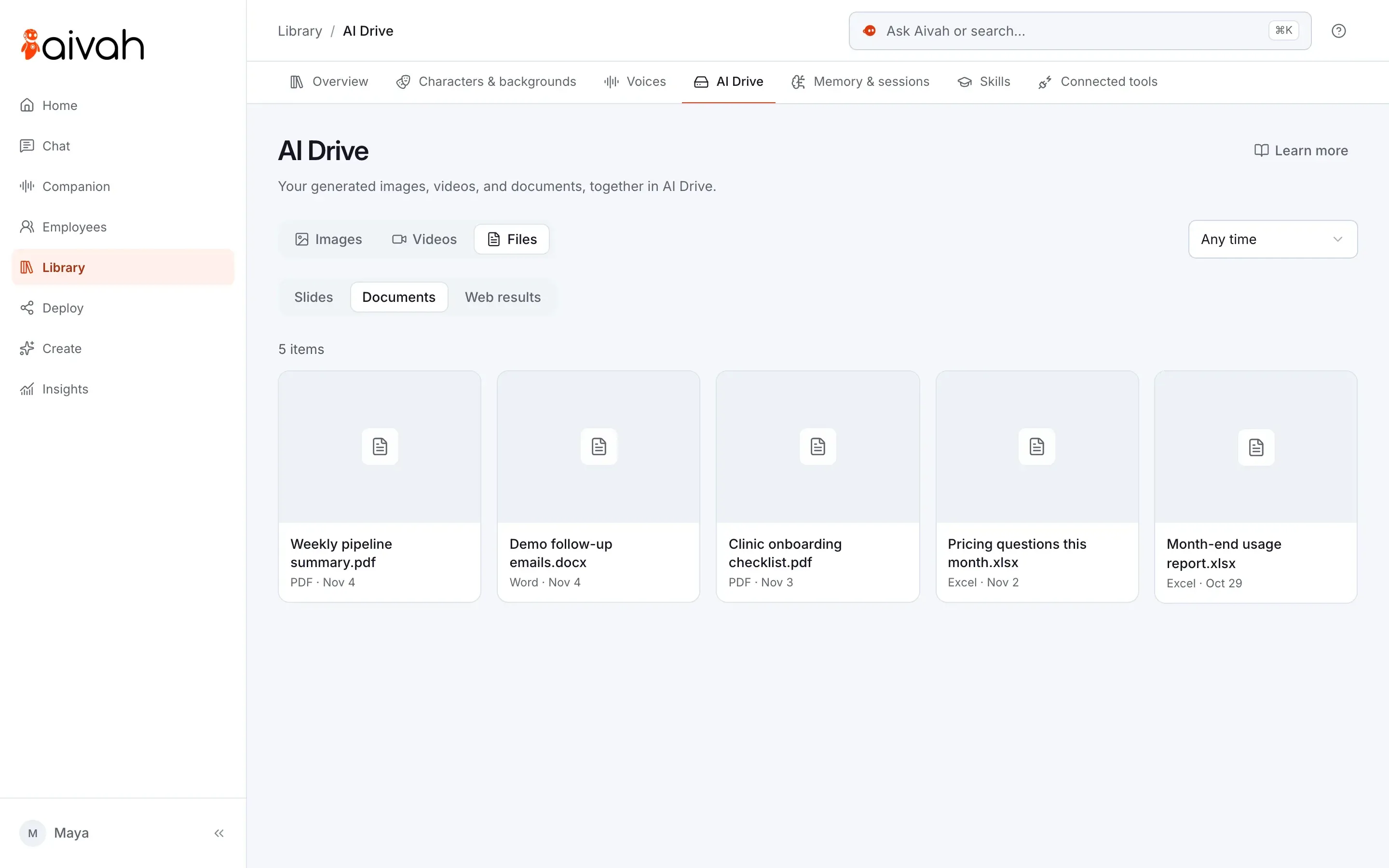
- AI Drive keeps the documents, decks, images and videos it makes.
 ChatGPT
 Claude
For developers
Build Aivah into your product.
Faces, voices and memory, from one API key.
- Start face-to-face conversations inside your own app.
- Add Aivah Assistant, a voice button that works your app's screens.
- Share memory with ChatGPT, Claude and your own agents.
# List your AI employees
curl https://api.aivah.ai/v1/platform/agents \
  -H "AIVAH_API_KEY: $AIVAH_API_KEY"

# Start a live, face-to-face session with one
curl -X POST https://api.aivah.ai/v1/platform/sessions/token \
  -H "AIVAH_API_KEY: $AIVAH_API_KEY" \
  -H "content-type: application/json" \
  -d "{\"agentId\": $AGENT_ID, \"llmId\": $MODEL_ID, \"voiceId\": $VOICE_ID}"
Connected apps
Works in the apps you use.
Connect 100+ business apps, or bring your own MCP server.
How approvals work Gmail
Gmail Google Calendar
 Google Drive
- Slack
- Microsoft Teams
 HubSpot
 Salesforce
- Gmail
- Google Calendar
- Google Drive
- Slack
- Microsoft Teams
- HubSpot
- Salesforce
- Gmail
- Google Calendar
- Google Drive
- Slack
- Microsoft Teams
- HubSpot
- Salesforce
- Gmail
- Google Calendar
- Google Drive
- Slack
- Microsoft Teams
- HubSpot
- Salesforce
 Pipedrive
 Notion
 Zendesk
 Intercom
 Shopify
- Your MCP server
- Pipedrive
- Notion
- Zendesk
- Intercom
- Shopify
- Your MCP server
- Pipedrive
- Notion
- Zendesk
- Intercom
- Shopify
- Your MCP server
- Pipedrive
- Notion
- Zendesk
- Intercom
- Shopify
- Your MCP server
Trust and control
Accountable by design.
You decide what it knows, what it may do and when it asks.
Says it's an AI.
Visitors know from the first message.
Reads run. Writes wait.
Nothing is sent, changed or deleted in your apps without your yes.
You pick the actions.
Allow only the actions you want, app by app.
Calls check with you.
If someone it calls wants a different time, it holds the line and asks you.
Memory you can edit.
See, correct or delete anything your AI employees remember.
Voices with consent.
Cloning a voice needs the speaker's permission.
Runs on Aivah's cloud, so there's nothing for you to host.
Pricing
Start free. Pay as it grows.
One credit balance for conversations, calls and everything it makes.
Free
$0
Meet your first AI employees.
- 3 AI employees
- 1,000 credits, added at signup
- No card required
Individual
$20a month
Put your first AI employee on your website.
- 50,000 credits a month
Business
$100a month
Add calls, your phone line, voice agents and your apps.
- 100,000 credits a month
Industries
Ask a business like yours.
Each industry page has a live AI employee to talk to.
All industries Real estate
Real estate
Answer buyers and tenants day and night, and take viewing requests for your team.
See how it works Healthcare
Healthcare
Answer patients’ questions day and night, and take appointment requests for your team.
See how it works Education
Education
Turn your course material into presentations people can question, and answer enrolment questions day and night.
See how it works Retail
Retail
Help shoppers with sizes, delivery and returns, from your own pages.
See how it works Hospitality
Hospitality
Answer guests day and night, and take booking requests for your team to confirm.
See how it works Finance
Finance
Explain your products day and night, and take enquiries for your advisers.
See how it works Professional services
Professional services
Explains your services and fees, and asks your intake questions, day and night.
See how it works SaaS
SaaSSaaS
Answers sales and how-to questions from your docs, in every time zone.
See how it works Home services
Home services
An AI receptionist answers while you work and notes the address and problem.
See how it works Automotive
Automotive
Answer buyers and drivers day and night, and take test-drive and service requests.
See how it works Recruiting
Recruiting
Answer candidates day and night, and welcome new hires with presentations they can question.
See how it works Fitness
Fitness
Answer calls and questions about classes and prices, and take booking requests for your team.
See how it worksQuestions
Before you hire.
What is an AI employee?
AI that works for your business, with a face, a voice and a memory. It serves your customers, works beside your team and can be built into your own product.
How is it different from a chatbot?
A chatbot answers questions in a box. An AI employee also talks face to face, presents, makes calls for you and works in your apps, asking before it changes anything.
Where can it work?
Your website, your presentations, and Meet, Teams, Zoom and Webex calls. An AI receptionist answers your phone line. Your team messages it in Slack, you text it on WhatsApp or iMessage, and your own Telegram bot can serve customers.
Can it make phone calls for me?
Yes. Ask it on WhatsApp, Slack or Telegram, and it calls from your business number. If they want a different time, it holds the line, asks you, then carries on and reports back. Voice agents call your whole list.
What does it remember?
Your preferences, facts and key dates from your conversations, in one memory all your AI employees share. You can see, edit or delete any of it, and connect ChatGPT or Claude to the same memory.
Do I need a developer?
No. Guided setup walks you through it, by typing or by voice, and your website needs one line of code. Developers can go further with the API and Aivah Assistant.
Is the AI employee on this page real?
Yes. It's Aivah's own AI employee, on the same embed you'd use. Press Meet Aivah to start a live conversation.
How much does it cost?
A direct link works on Free. The chat bubble and embeds start on Individual, at $20 a month. Voice calls, your phone line and voice agents start on Business, at $100 a month. For Enterprise, talk to Aivah or email hi@aivah.ai.
How do I stay in control?
You choose what it knows and which actions it may take. It reads freely, but asks before it sends, changes or deletes anything in your apps.




Hire your first AI employee.
Start free, or talk to us about a pilot for your team.
Free to start · No card required